10 Best Smartphone Photography Tips to Become a Pro Photographer
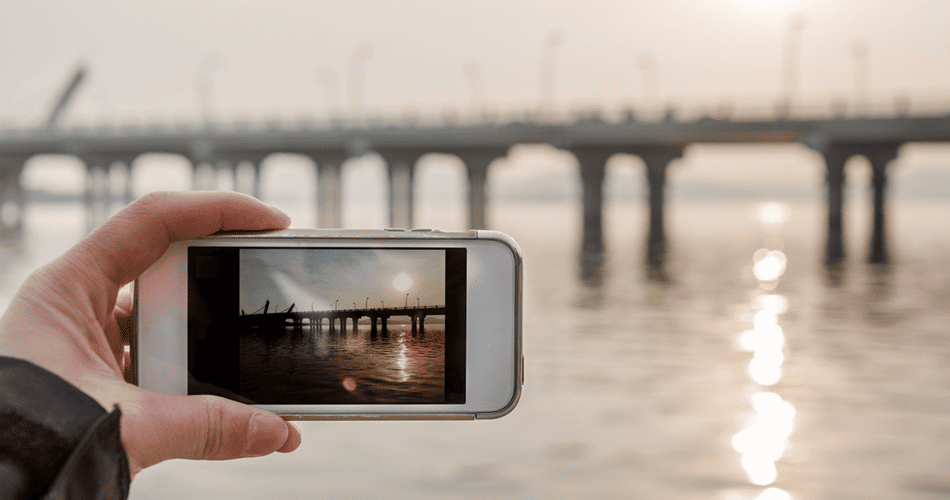
In the past few years, smartphones with high-quality cameras have gone through some dramatic enhancements, but technology alone won’t produce stunning shots that grab attention. Here is where the smartphone photography tips come in. In this post, we’ve listed the 10 best photography tips and tricks to take your pictures from ‘blah’ to ‘fantastic’ in no time. Let’s get in:
Smartphone Photography Tips
1. Take as many pictures as you can
This is the most basic step to become a pro photographer. Use the camera of your smartphone and take as many pictures as you can. Experiment with shooting angles, visit new places, look around for the unexpected shots, and always be prepared to capture them on your phone. You’ll soon realize that you’re improving day by day.
Just remember one basic thing! Bad pictures aren’t those you click wrong but they’re the ones you never click. It’s practice that makes a man perfect. So, keep practicing. One day, you’ll succeed.
2. Crop your photos, don’t zoom
Every smartphone camera has a digital zoom option which lets you zoom on objects that are too far away. However, we don’t recommend you to use it. Zooming on your photos can result in the loss of picture quality. Instead, you can click the picture in full resolution and crop it accordingly. This will ensure that you still have plenty of resolution left for display on the web. This one among our top smartphone photography tips is very useful for those who are in the habit of posting their regular photos on social media networks.
3. Don’t overuse filters
While filters make your photos look more beautiful – overusing them can completely spoil your photo. So, we recommend you to keep their use to minimum.
You can use other image editing options instead. You can make adjustments in settings, sharpness, contrast, color temperature, or other image attributes. This will make your pictures look more authentic while giving them a polished touch.
4. Always remember the rule of thirds
Are you familiar with the rule of thirds? Well, this is a basic principle for clicking photographs. According to the rule, we device the whole frame into three equal sections – both horizontally and vertically. The object you want to capture should place on the points where these lines intersect. This will ensure that all the objects are properly capture.
This is one of the best smartphone photography tips someone may ever tell you. Try it once and you’ll feel the difference!
No doubt, a snowy forest or a beach at sunset looks tempting to the eyes – it’s people who make your pictures look more live and personal. Such pictures give you a memory to live throughout the whole life.
We’re not asking you to not click natural pictures at all but make sure that you put people in your pictures most of the times.
5. Keep the lens clean
The next one in our list of the top 10 best smartphone photography tips is for your camera lens. Your smartphone spends a lot of time in your hand, in your pocket or even in your bag. Consequently, it will get dirty. Dirt, dust, and fingerprints on your lens will certainly affect the quality of your photos. It blocks light from entering the camera’s sensor and leaves blurs, smudges or even dust spots on your photos. So it’s no use of taking great photos if the glass of lens is not clean.
You should clean the lens while taking photos. There are many abrasive cleaners that will scratch the glass over the lens, resulting into poor image quality. You can use soft lens cloth instead of using such abrasive cleaners. Remember! A clean lens will make sure you get clear and sharp images with your smartphones.
6. Click photos with people
No doubt, a snowy forest or a beach at sunset looks tempting to the eyes – it’s people who make your pictures look more live and personal. Such pictures give you a memory to live throughout the whole life.
We’re not asking you to not click natural pictures at all but make sure that you put people in your pictures most of the times.
7. Keep the lens clean
The next one in our list of the top 10 best smartphone photography tips is for your camera lens. Your smartphone spends a lot of time in your hand, in your pocket or even in your bag. Consequently, it will get dirty. Dirt, dust, and fingerprints on your lens will certainly affect the quality of your photos. It blocks light from entering the camera’s sensor and leaves blurs, smudges or even dust spots on your photos. So it’s no use of taking great photos if the glass of lens is not clean.
You should clean the lens while taking photos. There are many abrasive cleaners that will scratch the glass over the lens, resulting into poor image quality. You can use soft lens cloth instead of using such abrasive cleaners. Remember! A clean lens will make sure you get clear and sharp images with your smartphones.
8. Use lens flare carefully
The trend of adding lens flare in images is also very popular these days. Most photographers prefer to use the effect in their photos as they think it looks very cool. However, you need to be extra careful while using the feature. The tiny lenses are prone to wacky light effects. A little mistake can completely ruin your pictures. So, use the feature with caution.
9. Set the focus
One of the most important things to look for while taking great photos is to set the focus. In order to set the focus on your smartphone camera, simply tap the screen where your subject is in the frame. A small yellow square will appear to confirm the focus point.
It is one of the best smartphone photography tips that comes handy when you want to nudge viewers by focusing on specific elements. In case your subject is moving around, make sure you tap on the screen just before you take the shot. Withal, you can blur the background to draw more attention to the subject of your photo.
10. Use photo-editing tools
You can use photo-editing tools that can help you make your photos much better or become more interesting.
Recent Blogs

10 Best Free Productivity Apps That Actually Help You Stay Organised
In this post, you'll find the ten best free productivity applications that come through the clutter and actually help you to keep your life, tasks, and creative projects in order.

Best AI Tools Small Businesses Can Use to Save Time and Improve Productivity
The real value of AI is not replacing your team - it’s helping reduce repetitive work and saving valuable time.

Best Budget Smart Gadgets Worth Buying This Year
Budget-friendly smart gadgets have improved massively over the past few years.

Google Introduces New AI Features for Android Users: What You Need to Know
Artificial intelligence is becoming part of everyday Android smartphone experiences.

Hidden Android Features Most Users Still Don't Know About
Android includes several powerful hidden features that can improve privacy, speed, security, and daily usability. This guide explains useful Android tools like Private Space, App Pinning, Developer Options, Live Captions, Notification History, and 2G blocking.

How To Free Up Storage Space On Android Without Deleting Important Files
Running out of Android storage does not always mean deleting photos, apps, or personal files. This guide explains simple ways to clear cache, remove hidden bloat, manage media, and recover space safely.
