10 Best Free Productivity Apps That Actually Help You Stay Organised
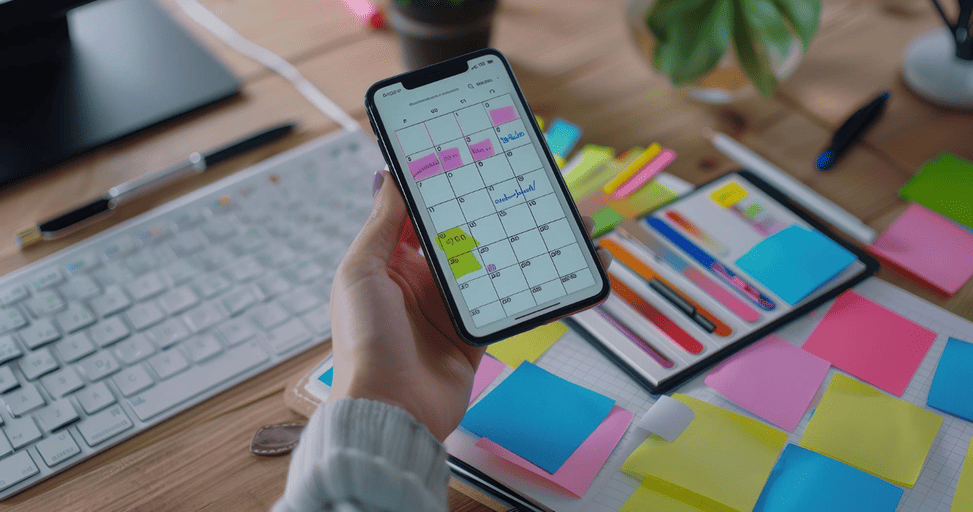
We've all been in that situation where the desktop is full of temporary files, your head is buzzing with unplanned to-dos, and your phone is buzzing with alerts. The contemporary digital workspace can quickly become a complete chaos.
The last thing you want to do when you decide to get organised is to come to a paywall and find some mental clarity. Thankfully, the productivity of tools has changed. No longer will you be paying out high monthly costs for high-paid organizations.
In this post, you'll find the ten best free productivity applications that come through the clutter and actually help you to keep your life, tasks, and creative projects in order.
Notion: Black and white is always the safest choice
Transitioning from general workspace clutter, let's look at Notion. When you want your workspace just the way your mind works, it's your Notion playground. It's an all-in-one workspace for your notes, database boards, your personal journals, and long-form documents, all in one place. The free level is extremely generous, allowing you to build an unlimited number of pages and sync them across mobile, desktop, and web.
Todoist: King of Quick Capture
When you simply need to get a task out of your head before you forget, you'll open Todoist. It has one particular unique feature, which is its natural language processing. Todoist will automatically interpret phrases like this and create a repeating task for you when you type them. The free version can easily manage your everyday tasks, with a maximum of 5 projects that you can actively work on, and 5 collaborators.
TickTick: The Multi-Tasking Workhorse
The TickTick app is right in the middle of being too open-ended (like Notion) and a little too minimal (like Todoist). It will NOT be just a “to-do” list! TickTick combines a daily list planner, a built-in Pomodoro focus timer, and a basic habit tracker. It's a very great option for students or freelancers who wish to plot out their tasks and also instantly execute them within focused periods without opening yet another application.
Microsoft To Do: The Everyday Task Management App
Microsoft To Do will be completely free of any upsell premiums and come from the ashes of the popular Wunderlist app. It is bright by its clean and distraction-free "My Day" view. The app provides you with a fresh page every morning. You look at your overall master lists, and you're aware of what it is that you want to do today, and you pick only those things that you want to conquer today, and that you don't want to feel overwhelmed by long, intimidating lists.
Toggl Track: The ultimate reality check!
You can't save and manage your time until you discover where it is going. Toggl Track offers dead-simple time tracking that's one click away. For freelancers with several clients to manage, it is a lifesaver to keep track of billable hours. Even if you're not doing it for the money, you'll get a realistic idea of what you're spending time on Toggl while only using the app for a week - how much time you are spending on deep work versus administrative work.
Trello: Visualize pipelines simply and clearly
Trello is a breath of fresh air for visual thinkers who get overwhelmed with a long list of tasks in text. It introduced the visual system of a digital Kanban board (with columns to visually organize the flow of work). Trello converts tracking complex project lifecycles to an intuitive and highly satisfying game by converting tasks into cards that you can actually drag from "To Do" to "In Progress" to "Done.
Google Keep: The Ultimate Digital Scratchpad
Imagine a limitless digital sticky note wall in Google - that's Google Keep. It is not designed for building processes or working on large projects; it’s designed for speed. Whether you're looking to snap a photo of a receipt when you need to quickly get a receipt, record a voice note while taking a walk, or just jot down a quick creative idea, Keep gets it done in a flash. Since it is part of Google Workspace, you can drag those notes when you're ready to expand them to a Google Doc.
Obsidian: Second Brain for Deep Thinkers
Obsidian's approach to organization is all different. It's a local-first, markdown note-taking program that functions like a network of interconnected ideas over a folder structure. The app creates an impressive Graph View that shows the relationships between all the notes in your library. No registration required, you can use it offline for privacy, and it's an excellent writing, technical research, and specialist tool to deal with large volumes of information.
Any.do: Protect Your AM Time!
Any.do's super power is the conscious daily ritual, “Plan My Day.” Rather than going straight to work without looking at your list of scheduled tasks, the app reviews them every morning and prompts you to commit, reschedule, or delegate tasks. This is a daily check-in during the morning to ease the cycle of chronic over-commitment, and helps you maintain your attention on what you really can accomplish before nighttime comes.
AFFiNE: Dealing with ADHD Brains: A Creative Space for Them
Many traditional productivity applications don't work for people who think in pictures because they assume that the information must be presented in a linear text-based sequence. To address this, AFFiNE has built a single platform open-source documentation, task table, and whiteboard. Switch from your regular doc or list to an endless canvas, and start drawing connections, mind webs, and brainstorming without limitations with one click.
Tips for selecting the best system
The key to finding the right application is knowing your brain's best way of processing your workload. It's a sure way to burn out to be forced into something that doesn't fit your personality.
- Looking for a customization option on every detail: Use Notion or Obsidian.
- For a simple list - no configuration required: Try Todoist or Microsoft To Do.
- Need visual layout help to get a grasp of what your day looks like: Use Trello or AFFiNE.
- If you don't have problems with tracking tasks, but rather with managing your focus, then head for TickTick or Toggl Track.
At the end of the day, the best productivity app is the one that fits naturally into your routine. You don’t need ten different tools to stay productive - sometimes one good system is more than enough. Try a few options, see what works for your workflow, and focus on building consistency rather than chasing perfect organization.
Recent Blogs

Best AI Tools Small Businesses Can Use to Save Time and Improve Productivity
The real value of AI is not replacing your team - it’s helping reduce repetitive work and saving valuable time.
Best Budget Smart Gadgets Worth Buying This Year
Budget-friendly smart gadgets have improved massively over the past few years.
Google Introduces New AI Features for Android Users: What You Need to Know
Artificial intelligence is becoming part of everyday Android smartphone experiences.
Hidden Android Features Most Users Still Don't Know About
Android includes several powerful hidden features that can improve privacy, speed, security, and daily usability. This guide explains useful Android tools like Private Space, App Pinning, Developer Options, Live Captions, Notification History, and 2G blocking.
How To Free Up Storage Space On Android Without Deleting Important Files
Running out of Android storage does not always mean deleting photos, apps, or personal files. This guide explains simple ways to clear cache, remove hidden bloat, manage media, and recover space safely.
10 Best Smartphone Accessories You Must Buy
Though the modern-day smartphones are all-inclusive in themselves, one often rea...
